
Managing Vacation Pay in Province Payroll
The Vacation Pay page acts as a ledger, showing all vacation-related transactions for each employee. Every entry is created in one of two ways:
Automatically, when payroll is run and vacation is earned or paid out
Manually, when an admin adds an adjustment
This ensures a clear audit trail of how much vacation pay has been earned, used, or adjusted.
💼 Viewing the Vacation Pay Ledger

The index page shows a list of all vacation pay records. Each row includes:
Employee
Source (how the vacation pay was generated)
Cheque Date (for pay runs)
Entered By (admin user or "System")
Amount (positive for accrual, negative for usage or payout)
Balance (running total of vacation pay for the employee)
Created At (timestamp)
Details (link to view full record)
You can filter this page by employee, source, or date range to narrow your results.
🔍 Understanding Individual Vacation Pay Records
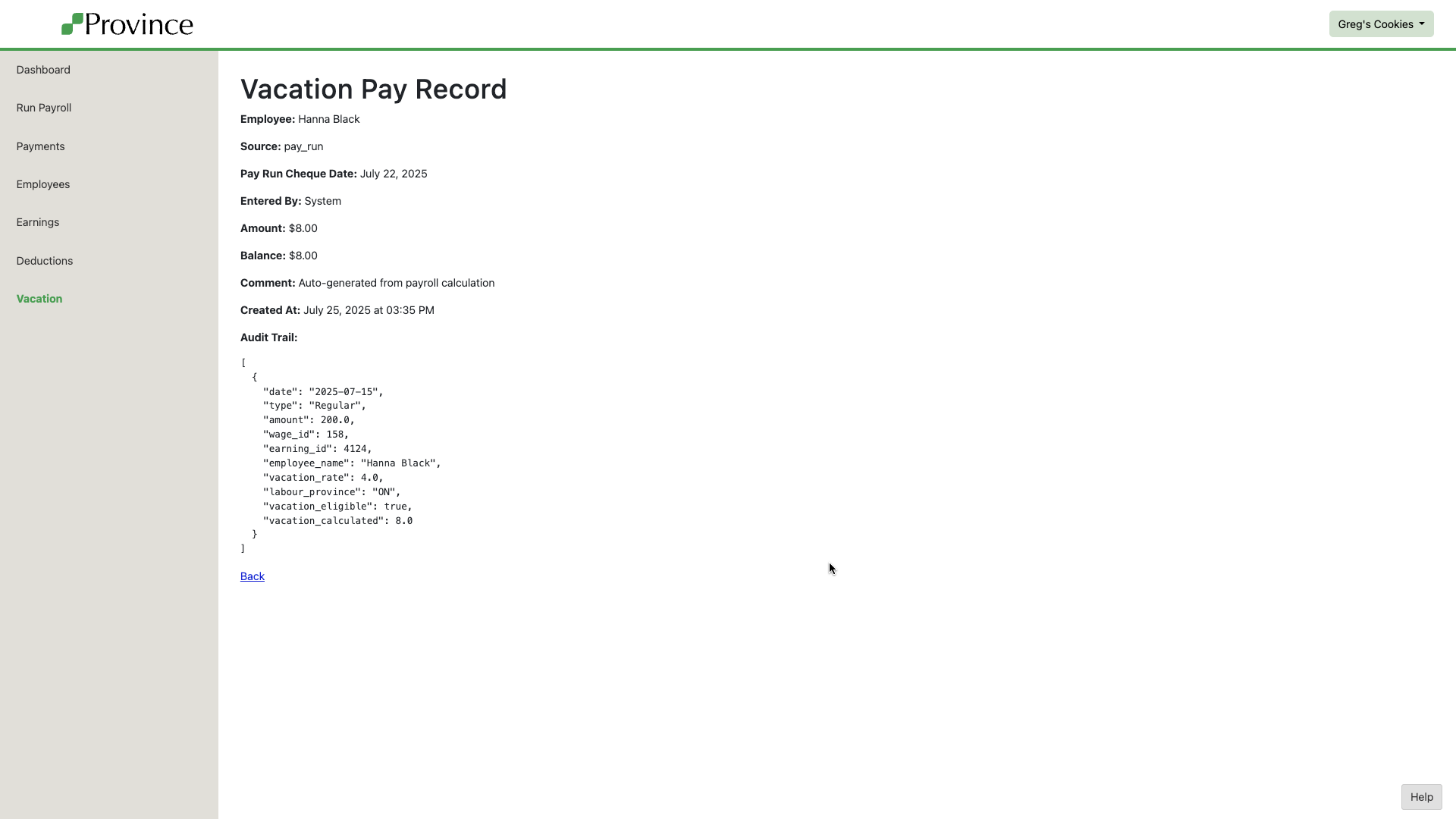
Clicking Show on a vacation pay entry brings you to a detailed view of the record. This includes:
Full employee name
Source of the vacation pay entry
Cheque date (if applicable)
Who entered it (or if it was system-generated)
Amount and updated balance
Any comments added by the user
Timestamp of creation
Audit Trail showing how the amount was calculated (shown via the details field)
This audit trail helps ensure full transparency into how vacation pay is handled.
📌 Sources of Vacation Pay Entries
Each entry has a source, which helps explain how it came to be:
pay_run: earned on this pay run
vacation_used: vacation taken on this pay run
vacation_paid_out: paid out automatically (if "Pay Out Vacation Each Pay Period" is enabled for the employee)
adjustment: manual adjustment entered by a user