
Journal Entry Report
Province Payroll can automatically generate a journal entry report for any approved pay run. This gives your accountant everything they need to post payroll to your books — no manual calculations required.
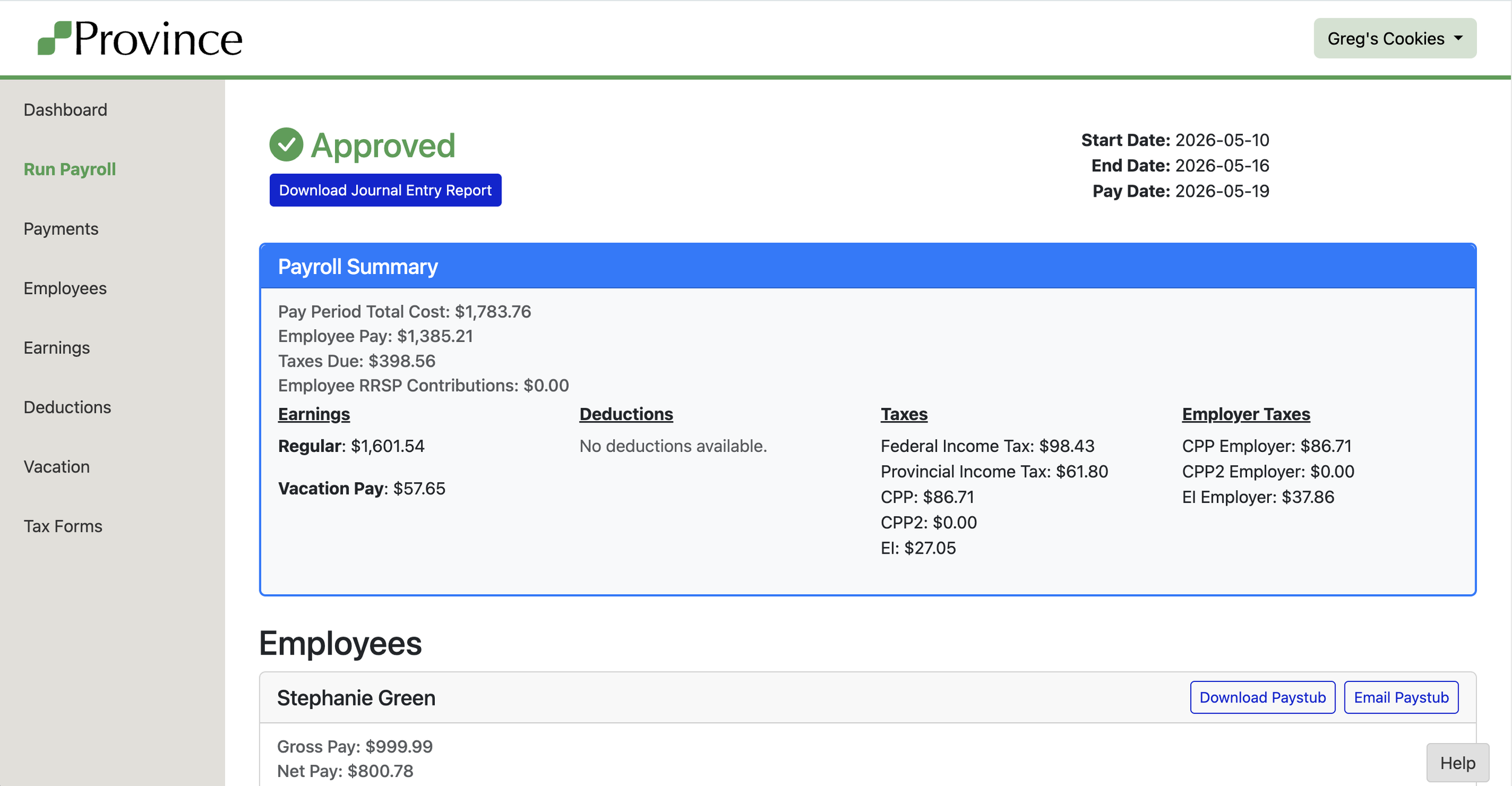
Where to find it: Open an approved pay run and click Download Journal Entry Report, just under the Approved banner.
📒 What's in the report
The report maps your payroll into double-entry format, where every dollar of expense has a matching liability. Debits will always equal credits.
Here's how Province maps your payroll:
- Wage earnings (Regular, Overtime, Vacation, Bonuses, etc.) → debit Wages & Salaries, credit Employee Net Pay
- RRSP Employer Contribution → debit Wages & Salaries, credit RRSP Contributions Payable
- Expense Reimbursement → debit Expense Reimbursement / After Tax Deduction Clearing, credit Employee Net Pay
- Employee deductions (Medical, Dental, Vision) → debit Employee Net Pay, credit Health/Dental/Vision Employee Contributions Payable
- Employee RRSP deductions → debit Employee Net Pay, credit RRSP Contributions Payable
- After Tax Deduction → debit Employee Net Pay, credit Expense Reimbursement / After Tax Deduction Clearing
- Employee taxes (CPP, EI, Income Tax) → debit Employee Net Pay, credit Payroll Tax Payable
- Employer taxes (CPP, EI employer share) → debit Employer Payroll Tax Expense, credit Payroll Tax Payable
💵 Employee Net Pay
Employee Net Pay is the running balance of what you owe your employees — it increases when earnings are recorded, and decreases as taxes and deductions are withheld. Whatever remains is what leaves your bank account on pay day.
The journal entry report is dated to the last day of the pay period, not the pay date. The actual bank transfer is a separate transaction you record when the funds go out.
🔄Expense Reimbursements & After Tax Deductions
These two items share a clearing account called Expense Reimbursement/After Tax Deduction Clearing, and they work as a pair.
Expense Reimbursements: When an employee pays a business expense out of pocket, you likely recorded it somewhere in your accounting system already — a bill, a liability, something that says "I owe this employee money." When that reimbursement flows through payroll, Province debits the clearing account to cancel out what you recorded, and credits Employee Net Pay so the employee gets paid through their paycheque.
After Tax Deductions: The reverse. If an employee owes your business money and you're collecting it through payroll, the deduction credits the same clearing account — settling whatever you had on the other side of your books.
Why it matters: these entries won't net to zero on the report unless the reimbursement and deduction amounts happen to match. That's expected — each side represents a separate business event that was already partially recorded elsewhere.
🚫 Non-cash benefits aren't included
Medical/Health, Dental, and Vision earnings don't appear on the journal entry. These are non-cash benefits — no money moves through payroll for them. You'll record those costs separately when you receive your benefits provider's invoice.
To post to your accounting software: Create a manual journal entry dated the last day of the pay period, enter each line as shown, and confirm debits equal credits before saving.